
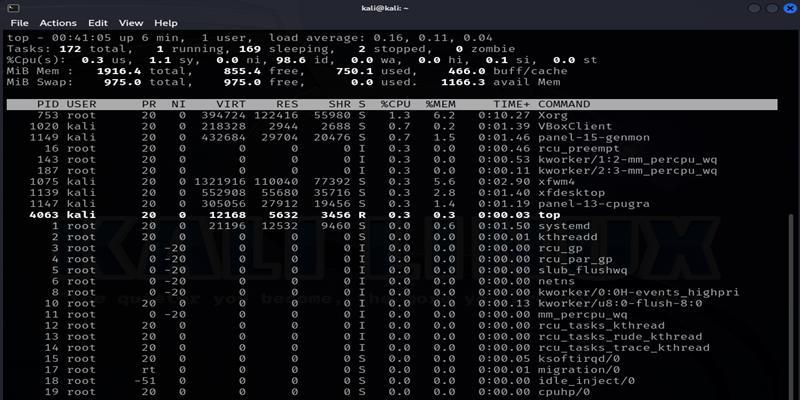
System monitoring has evolved significantly from the days of simply watching CPU percentages and disk usage. in the modern landscape of Linux Administration and Linux Security, visibility into the kernel’s behavior is paramount. While tools like htop and the top command provide excellent snapshots of resource utilization, they often fail to capture transient security events or subtle behavioral anomalies. To truly secure a Linux Server, administrators must delve deeper into System Monitoring by tracking system calls (syscalls) that govern process privileges and execution flow.
One of the most critical aspects of security monitoring is detecting privilege escalation. Malicious actors often attempt to leverage binaries with specific permissions or exploit kernel vulnerabilities to gain root access. By monitoring specific syscalls such as setuid, setgid, and execve, a System Administrator can identify when a process changes its identity or executes a new program. This article provides a comprehensive guide to implementing deep system monitoring using standard Linux utilities, Bash Scripting, and advanced Python Automation with eBPF.
Section 1: The Core Mechanics of Linux Privilege and Syscalls
Before diving into monitoring tools, it is essential to understand the underlying mechanisms of the Linux Kernel. When a user runs a command in a Linux Terminal, the shell interacts with the kernel through system calls. The distinction between user space and kernel space is enforced rigidly, and syscalls are the gateway between the two.
For Linux Security, three syscalls are of particular interest:
- execve: This is the primary system call used to execute a program. It replaces the current process image with a new process image. Monitoring this tells you exactly what commands are being run on your server.
- setuid (and setgid): These calls set the effective user (or group) ID of the calling process. This is the mechanism used by utilities like
sudoorpasswdto perform actions as root even when run by a standard user. However, it is also a primary vector for privilege escalation attacks.
Whether you are running Ubuntu Tutorial environments, Debian Linux, Red Hat Linux, or Arch Linux, these syscalls function almost identically. Understanding how to programmatically interact with these concepts is the first step in monitoring them. Below is a C program that demonstrates how a process might attempt to change its user ID. This illustrates the exact behavior we aim to detect.
To compile this, you would use GCC (GNU Compiler Collection), a standard tool in Linux Development.
#include <stdio.h>
#include <stdlib.h>
#include <unistd.h>
#include <sys/types.h>

/*
 * This is a simulation of a program attempting to change UID.
 * In a real monitoring scenario, we want to catch the moment
 * setuid() is called.
 */

int main() {
    uid_t current_uid = getuid();
    printf("Current UID: %d\n", current_uid);

    // Attempt to escalate to root (UID 0)
    // This will fail unless the binary has the SUID bit set or is run as root
    if (setuid(0) == 0) {
        printf("Privilege Escalation Successful! UID is now 0.\n");
        // In a malicious scenario, a shell might be spawned here
        // execl("/bin/sh", "sh", NULL);
    } else {
        perror("setuid failed");
        printf("Privilege Escalation Failed. Still UID: %d\n", getuid());
    }

    return 0;
}
While C Programming Linux knowledge helps in understanding the threat, the role of Linux DevOps is to monitor these events without modifying the source code of running applications. In the next section, we will look at how to use the Linux Audit framework to track these calls globally.
Section 2: Implementing Audit Trails with auditd
Apple TV 4K with remote – New Design Amlogic S905Y4 XS97 ULTRA STICK Remote Control Upgrade …
The Linux Audit Daemon (auditd) is the standard subsystem for tracking security-relevant information on CentOS, Fedora Linux, and enterprise Linux Distributions. Unlike standard logging which records application output, auditd listens to the kernel directly. It acts as a flight recorder for your operating system, capturing events that bypass standard Linux Firewall logs or application logs.
To monitor privilege escalation attempts effectively, we need to configure audit rules that trigger whenever the execve, setuid, or setgid syscalls are invoked. This is crucial for compliance standards and general System Administration hygiene.
Configuring Audit Rules via Bash Scripting
Manually adding rules using auditctl is temporary; they vanish after a reboot. To make them persistent, we write them to /etc/audit/rules.d/. Below is a Bash Scripting example that automates the hardening of your audit configuration. This script checks for architecture (32-bit vs 64-bit) to ensure the correct syscall numbers are tracked.
#!/bin/bash

# Linux Automation Script for Auditd Configuration
# This script adds rules to monitor privilege escalation syscalls

AUDIT_FILE="/etc/audit/rules.d/sec_mon.rules"

echo "Configuring System Monitoring rules for auditd..."

# Clear old rules in this file
> $AUDIT_FILE

# 1. Monitor execve (Command Execution)
# Captures every command run on the system.
# WARNING: Can generate high log volume on busy servers.
echo "-a always,exit -F arch=b64 -S execve -k command_exec" >> $AUDIT_FILE
echo "-a always,exit -F arch=b32 -S execve -k command_exec" >> $AUDIT_FILE

# 2. Monitor setuid (Privilege Escalation)
# Tracks whenever a process attempts to change its User ID
echo "-a always,exit -F arch=b64 -S setuid -k priv_esc" >> $AUDIT_FILE
echo "-a always,exit -F arch=b32 -S setuid -k priv_esc" >> $AUDIT_FILE

# 3. Monitor setgid (Group Privilege Escalation)
echo "-a always,exit -F arch=b64 -S setgid -k priv_esc" >> $AUDIT_FILE
echo "-a always,exit -F arch=b32 -S setgid -k priv_esc" >> $AUDIT_FILE

# Reload the audit rules
augenrules --load

if [ $? -eq 0 ]; then
    echo "Audit rules loaded successfully."
    echo "Use 'ausearch -k priv_esc' to view detected escalation attempts."
else
    echo "Failed to load audit rules. Check syntax."
fi
Once this script is executed, the system begins logging these specific events. You can inspect the logs using ausearch. For example, if a compromised Apache or Nginx web server process attempts to switch users, auditd will log the exact timestamp, the user ID, and the executable involved. This provides forensic evidence that is far superior to standard Linux Networking logs.
Section 3: Advanced Real-Time Monitoring with Python and eBPF
While auditd is powerful, it is primarily a logging tool. In modern Linux Cloud environments like AWS Linux or Azure Linux, we often need real-time programmatic reactions to events. This is where eBPF (Extended Berkeley Packet Filter) comes into play. eBPF allows us to run sandboxed programs inside the Linux Kernel without changing kernel source code or loading kernel modules.

Using Python Linux libraries like BCC (BPF Compiler Collection), we can write scripts that intercept syscalls instantly. This is a staple of modern Linux DevOps and System Programming. The following example demonstrates how to create a “live” monitor that prints an alert to the console the moment a setuid call occurs. This is significantly faster than parsing log files.
Python Scripting for Kernel Tracing
This script uses the BCC library. You may need to install bpfcc-tools and python3-bpfcc (on Debian/Ubuntu) or bcc-tools (on RHEL/CentOS) to run this.

Apple TV 4K with remote – Apple TV 4K 1st Gen 32GB (A1842) + Siri Remote – Gadget Geek
#!/usr/bin/python3
from bcc import BPF
import os

# Define the BPF program in C (embedded in Python)
# We attach a kprobe (Kernel Probe) to the system call
bpf_text = """
#include
#include

struct data_t {
    u32 pid;
    u32 uid;
    u32 new_uid;
    char comm[TASK_COMM_LEN];
};

BPF_PERF_OUTPUT(events);

int syscall__setuid(struct pt_regs *ctx, int uid) {
    struct data_t data = {};

    // Get current process ID and User ID
    data.pid = bpf_get_current_pid_tgid() >> 32;
    data.uid = bpf_get_current_uid_gid();
    data.new_uid = uid;

    // Get the command name (e.g., "sudo", "bash")
    bpf_get_current_comm(&data.comm, sizeof(data.comm));

    // Submit data to user space
    events.perf_submit(ctx, &data, sizeof(data));

    return 0;
}
"""

# Initialize BPF
print("Loading eBPF program... Monitoring setuid() calls. Ctrl-C to stop.")
b = BPF(text=bpf_text)

# Attach the kprobe to the kernel function for setuid
# Note: The exact syscall prefix might vary (sys_setuid, __x64_sys_setuid)
syscall_fnname = b.get_syscall_fnname("setuid")
b.attach_kprobe(event=syscall_fnname, fn_name="syscall__setuid")

# Define the callback for printing events
def print_event(cpu, data, size):
    event = b["events"].event(data)
    print(f"[ALERT] PID: {event.pid} | Comm: {event.comm.decode('utf-8')} "
          f"| Current UID: {event.uid} -> Attempting switch to UID: {event.new_uid}")

# Loop and poll for events
b["events"].open_perf_buffer(print_event)
while True:
    try:
        b.perf_buffer_poll()
    except KeyboardInterrupt:
        exit()
This Python Automation script provides immediate visibility. If you run this script in one terminal and execute sudo ls in another, you will instantly see the transition of UID privileges. This technique is highly applicable to Container Linux environments, including Linux Docker and Kubernetes Linux clusters, where detecting container escape attempts (which often involve syscall manipulation) is critical.
Section 4: Integration and Best Practices
Monitoring is only as good as the response it triggers. In a professional Linux System Admin workflow, data gathered from auditd or eBPF should be integrated into centralized logging systems. Whether you are managing a Linux Web Server or a Linux Database like PostgreSQL Linux or MySQL Linux, isolated logs are difficult to correlate.
Log Parsing and Alerting
Using Python System Admin techniques, we can write a parser that reads /var/log/audit/audit.log and sends alerts to a communication channel (like Slack or Email) when high-risk syscalls are detected. This bridges the gap between raw data and actionable intelligence.
Apple TV 4K with remote – Apple TV 4K iPhone X Television, Apple TV transparent background …
import time
import re

AUDIT_LOG = "/var/log/audit/audit.log"

def follow(thefile):
    """Generator function that yields new lines in a file (tail -f)"""
    thefile.seek(0, 2) # Go to the end of the file
    while True:
        line = thefile.readline()
        if not line:
            time.sleep(0.1)
            continue
        yield line

def parse_audit_log():
    print(f"Watching {AUDIT_LOG} for privilege escalation events...")

    # Regex to look for the key we defined in our Bash script
    key_pattern = re.compile(r'key="priv_esc"')

    try:
        with open(AUDIT_LOG, "r") as logfile:
            loglines = follow(logfile)
            for line in loglines:
                if key_pattern.search(line):
                    # In a real app, this would send an API request to Slack/PagerDuty
                    print(f"CRITICAL SECURITY EVENT DETECTED:\n{line.strip()}\n" + "-"*50)
    except PermissionError:
        print("Error: Run this script as root to read audit logs.")

if __name__ == "__main__":
    parse_audit_log()
Optimization and Security Hardening
When implementing these monitoring strategies, consider the following best practices to maintain system stability and security:
- Performance Overhead: Monitoring
execveon a busy build server (e.g., during Linux Development compilations) can generate massive logs. Useauditdfilters to exclude trusted users or daemons to prevent disk saturation. - Storage Management: Linux Disk Management becomes crucial when logging is aggressive. Ensure you have log rotation configured or use LVM (Logical Volume Manager) to easily expand log partitions.
- Defense in Depth: Monitoring is detection, not prevention. Ensure you are also using SELinux (Security-Enhanced Linux) or AppArmor to enforce mandatory access controls. A properly configured SELinux policy can prevent the privilege escalation from happening in the first place, while your monitoring tools record the failed attempt.
- Network Security: If you are shipping logs to a remote server, ensure the traffic is encrypted, possibly tunneling over Linux SSH or using TLS, and verify your iptables or Linux Firewall rules allow the traffic.
- Backup: Always maintain a Linux Backup of your audit configurations and scripts. Using tools like Ansible for configuration management ensures that if a server is compromised and needs to be rebuilt, your monitoring infrastructure can be redeployed instantly.
Conclusion
Effective System Monitoring in Linux goes far beyond checking if a server is online. By shifting focus to the kernel level and tracking critical system calls like setuid, setgid, and execve, administrators gain a powerful vantage point against privilege escalation attacks. Whether you choose the stability of the traditional Audit framework or the cutting-edge real-time capabilities of eBPF and Python Scripting, the goal remains the same: total visibility into the behavior of your system.
As you implement these tools, remember that monitoring is an iterative process. Start with the Bash Scripting examples to establish a baseline, then move toward Python Automation for alerting and analysis. By combining these technical strategies with robust Linux Permissions management and regular security audits, you build a resilient infrastructure capable of detecting and withstanding modern security threats.


