
Last Thursday I watched a mid-level engineer spend four hours rewriting a CI/CD pipeline because a staging deployment kept failing. He tweaked the YAML. He swapped the Docker base image. He completely tore down and rebuilt the caching layer.
Actually, the actual problem? The target node was out of inodes. Not disk space. Inodes.
A single df -i command would have saved half his day. He had millions of tiny session files clogging up the filesystem, but because his storage dashboard showed 40% free space, he assumed the server was fine and blamed the deployment script.
And we talk about DevOps like it’s a magical layer of automation that floats above the hardware. It isn’t. You can wrap your application in as many containers as you want. You can write thousands of lines of Terraform. But when things break, the abstractions leak. You are suddenly just a person staring at an SSH terminal on an Ubuntu 24.04 box, trying to figure out why the kernel OOM killer decided your database looked like a tasty snack.
The Permission Panic Button
I still find chmod -R 777 in production deployment scripts. It makes my eye twitch.
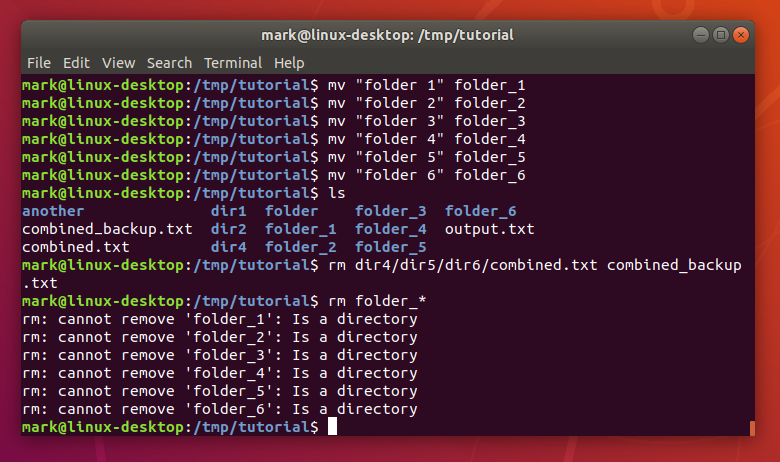
People get frustrated with “Permission denied” errors during automated builds and just nuke the security model rather than figuring out which user actually owns the process. But if your deployment requires world-writable directories to function, your architecture is probably broken.
Stop fighting the OS. Create dedicated service users. Use groups correctly. Set the sticky bit if multiple users need to write to a shared directory. Here is the actual way to set up a shared web directory without opening it to the entire internet:
# Create a specific group for the web app
sudo groupadd webadmins

# Add your deployment user to the group
sudo usermod -a -G webadmins deploy_user

# Set directory ownership
sudo chown -R www-data:webadmins /var/www/myapp

# Set the setgid bit so new files inherit the group
sudo chmod 2775 /var/www/myapp
Do this once, and you never have to blindly change permissions again.
The Silent Killers: I/O and File Descriptors
Everyone watches CPU and memory. That’s the easy stuff. But the silent killers are almost always I/O bottlenecks or exhausted file descriptors.
I had a t3.xlarge EC2 instance lock up completely last month. The fancy monitoring dashboard showed CPU at 15%. Memory was totally fine. But the application was dropping API connections left and right, and the load balancer was failing health checks.
I SSH’d in and ran dmesg -T. The kernel logs were screaming about nf_conntrack: table full, dropping packet. We had hit the connection tracking limit. The application wasn’t failing; the Linux networking stack was intentionally dropping packets to protect itself.
Here is the fix I push to all our high-traffic nodes now. It takes the default limit and cranks it up. Applying this dropped our API timeout errors to absolute zero overnight.

# Add this to /etc/sysctl.d/99-custom-network.conf
net.netfilter.nf_conntrack_max = 262144
net.core.somaxconn = 8192
net.ipv4.tcp_max_syn_backlog = 4096

# Apply without rebooting
sudo sysctl -p /etc/sysctl.d/99-custom-network.conf
Stop Grepping Raw Text Files
I know some old-school admins still complain about systemd, but we’ve had it for over a decade now. It’s time to adapt. journalctl is incredibly useful once you stop fighting it.
When a service fails, I don’t want to scroll through a massive text file. I want to see the errors from the exact window when the deployment triggered. And I want them formatted properly.

# Show only errors (priority 3) for a specific service since 10 minutes ago
journalctl -u myapp.service -p 3 --since "10 minutes ago" --no-pager

# Follow logs live, but strip out the noisy metadata
journalctl -u myapp.service -f -o cat
I use that second command daily. It strips out the timestamps and hostnames from the terminal output so you just see the raw application logs streaming in real-time. It makes debugging a broken startup script vastly easier.
The orchestration tools we use today will probably look completely different by 2028. We’ll invent some new way to write configuration files. We always do. But the underlying operating system isn’t going anywhere.
Learn how the kernel handles memory. Understand file ownership. Figure out how to read a system log without a web UI. It makes the job a lot less frustrating.


