
In the realm of Linux Administration and Linux Security, few tools are as powerful—or as misunderstood—as Security-Enhanced Linux (SELinux). Originally developed by the National Security Agency (NSA) and integrated into the Linux Kernel, SELinux provides a robust mechanism for supporting access control security policies. While many junior administrators and developers are tempted to immediately disable it upon encountering a “Permission Denied” error, doing so compromises the integrity of the Linux Server. Understanding SELinux is a hallmark of an advanced System Administration skillset, essential for managing Red Hat Linux, CentOS, Fedora Linux, and increasingly Ubuntu and Debian Linux environments.
This Linux Tutorial aims to demystify SELinux, moving beyond basic Linux Commands to explore the architecture of Mandatory Access Control (MAC). Unlike the standard Discretionary Access Control (DAC) used in traditional Linux File System permissions (chmod/chown), SELinux enforces strict policies that confine user programs and system services to the minimum privileges required to function. Whether you are involved in Linux DevOps, Cloud infrastructure on AWS Linux, or securing a Linux Web Server running Apache or Nginx, mastering these concepts is critical for modern infrastructure defense.
Section 1: Core Concepts and Architecture
To effectively manage a secure system, one must understand how SELinux interacts with the OS. Traditional Linux security relies on DAC, where file ownership determines access. If a user owns a file, they can grant read/write access to anyone. This poses a security risk; if a malicious actor compromises a process running as root (or a specific user), they inherit all permissions associated with that user.
MAC vs. DAC
SELinux implements Mandatory Access Control. In this model, the operating system constrains the ability of a subject or initiator (like a database process or a Bash Scripting shell) to access or perform operations on an object or target (like a file, socket, or port). Even if the standard Linux Permissions allow access, SELinux can block it if the security policy does not explicitly permit the interaction.
The Three Modes of Operation
Before diving into configuration, it is vital to know the state of your system. SELinux operates in three modes:
- Enforcing: The default and recommended mode. Policies are enforced, and unauthorized access is denied and logged.
- Permissive: Policies are not enforced, but denials are logged. This is excellent for troubleshooting and System Monitoring without breaking applications.
- Disabled: SELinux is turned off entirely. Re-enabling it usually requires a filesystem relabeling which can be time-consuming.
Contexts and Labels
SELinux relies on contexts—metadata labels attached to files, processes, and ports. A context string typically looks like user:role:type:level. In the “Targeted” policy (the default in most distributions), the most important field is the Type (the third field).
For example, the Apache web server process runs with the type httpd_t. The files in /var/www/html are labeled with the type httpd_sys_content_t. The policy says: “Processes labeled httpd_t can read files labeled httpd_sys_content_t.” If you move a file from /home/user (labeled user_home_t) to the web root, Apache will be blocked from reading it because httpd_t does not have access to user_home_t.
Here is how you can inspect these contexts using standard Linux Terminal commands:
#!/bin/bash

# Check the current status of SELinux
echo "--- SELinux Status ---"
sestatus

# Check the context of a specific process (e.g., SSH daemon)
# The -Z flag displays the security context
echo -e "\n--- Process Context (sshd) ---"
ps -eZ | grep sshd | head -n 1

# Check file contexts in a web directory
echo -e "\n--- File Contexts (/var/www/html) ---"
ls -Z /var/www/html

# Check the current user's context
echo -e "\n--- Current User Context ---"
id -Z
Section 2: Implementation and Policy Management
Effective Linux Administration involves managing these labels and booleans to ensure services function correctly without opening unnecessary security holes. This is particularly relevant when setting up a Linux Database like PostgreSQL Linux or MySQL Linux in non-standard locations.
Managing File Contexts
One of the most common issues arises when administrators create custom directories for services. If you create /web/site1, it inherits the context of the parent directory (often default_t), which the web server cannot access. While the chcon command can temporarily change a context, it is not persistent across filesystem relabels. The correct approach uses semanage fcontext followed by restorecon.
Below is a robust Shell Scripting example that automates the setup of a custom web directory, ensuring permissions persist even after a system reboot or relabel.
#!/bin/bash

# Define the custom web root
WEB_ROOT="/srv/my_custom_site"

# 1. Create the directory
mkdir -p $WEB_ROOT
echo "<h1>SELinux Configured Site</h1>" > $WEB_ROOT/index.html

# 2. Check current context (likely default_t or var_t)
echo "Initial Context:"
ls -Zd $WEB_ROOT

# 3. Add a permanent rule to the SELinux policy database
# This tells SELinux: "Any file in /srv/my_custom_site (recursively)
# should be labeled as httpd_sys_content_t"
# Note: Requires policycoreutils-python-utils or similar package
semanage fcontext -a -t httpd_sys_content_t "$WEB_ROOT(/.*)?"

# 4. Apply the context to the filesystem
# -R = recursive, -v = verbose
restorecon -Rv $WEB_ROOT

# 5. Verify the change
echo "Final Context:"
ls -Zd $WEB_ROOT

# Tip: If you need the web server to WRITE to this directory,
# you would use httpd_sys_rw_content_t instead.
SELinux Booleans
Booleans are on/off switches within the SELinux policy that allow you to alter behavior at runtime without writing custom code. They are incredibly useful for Linux Networking scenarios. For instance, by default, a web server script cannot connect to a remote database or send an email. This prevents a compromised web server from becoming a spam bot.
To allow a web server to connect to a database over the network, you would toggle a boolean:
setsebool -P httpd_can_network_connect_db 1
The -P flag makes the change persistent across reboots. You can list all available booleans with getsebool -a.
Section 3: Advanced Techniques and Troubleshooting
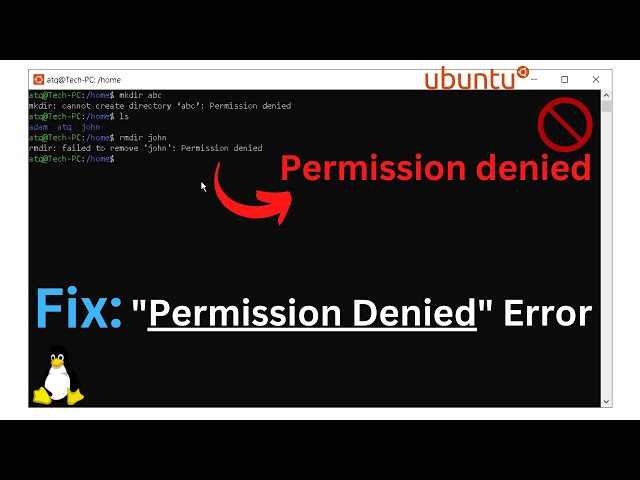
When SELinux blocks an action, it logs the event as an AVC (Access Vector Cache) denial. These logs are typically found in /var/log/audit/audit.log or /var/log/messages. Troubleshooting these denials is a core competency for Linux DevOps professionals.
Analyzing Denials with Audit2allow
The audit2allow tool is the bridge between a denial log and a working policy. It analyzes the audit logs and suggests (or generates) a policy module to allow the blocked action. However, blind usage is dangerous. You must verify that the blocked action should be allowed. If a hacker is trying to read /etc/shadow via your web server, SELinux blocking it is good, and you should not create a policy to allow it.

Here is a workflow for identifying a denial and creating a custom policy module. This is essential when running proprietary software or complex Docker containers that don’t fit standard policies.
# Step 1: Trigger the denial
# Run the application or command that is failing.

# Step 2: Search for the denial in the logs
# We look for "AVC" or "denied" messages relating to our specific process (e.g., myapp)
grep "myapp" /var/log/audit/audit.log | grep "denied"

# Step 3: Use audit2why to understand the cause
# This translates the cryptic log into a human-readable explanation
grep "myapp" /var/log/audit/audit.log | audit2why

# Step 4: Generate a Type Enforcement (.te) file to review the proposed policy
# ALWAYS review the text file before compiling!
grep "myapp" /var/log/audit/audit.log | audit2allow -m myapp_policy > myapp_policy.te

# Step 5: If the policy looks safe, compile and install it
# -M generates the binary module (.pp) and the source (.te)
grep "myapp" /var/log/audit/audit.log | audit2allow -M myapp_policy

# Step 6: Load the module into the kernel
semodule -i myapp_policy.pp
Automating Log Analysis with Python
For large-scale Linux Automation, you might want to programmatically check for SELinux violations across a fleet of servers. Using Python Scripting, we can parse audit logs to extract relevant AVC denials. This taps into Python System Admin capabilities to streamline monitoring.
import re
import sys

def parse_audit_log(log_path):
    """
    Parses the audit log for SELinux AVC denials.
    """
    avc_pattern = re.compile(r'type=AVC msg=audit\(\d+\.\d+:\d+\): avc:  denied  { (\w+) } for  pid=(\d+) comm="([^"]+)"')

    denials = []

    try:
        with open(log_path, 'r') as f:
            for line in f:
                match = avc_pattern.search(line)
                if match:
                    action = match.group(1)
                    pid = match.group(2)
                    command = match.group(3)
                    denials.append({
                        'action': action,
                        'pid': pid,
                        'command': command,
                        'raw': line.strip()
                    })
    except FileNotFoundError:
        print(f"Error: Log file not found at {log_path}")
        return

    return denials

if __name__ == "__main__":
    log_file = "/var/log/audit/audit.log"
    print(f"Scanning {log_file} for SELinux denials...")

    results = parse_audit_log(log_file)

    if results:
        print(f"Found {len(results)} denials:")
        for d in results:
            print(f"[!] Process '{d['command']}' (PID: {d['pid']}) attempted '{d['action']}'")
    else:
        print("No AVC denials found matching the pattern.")
Section 4: Best Practices and Optimization
Integrating SELinux into your Linux Development and operational workflows requires adherence to best practices. Whether you are using Ansible for configuration management or deploying Kubernetes Linux clusters, keep these points in mind.
Containerization and SELinux
When running Docker Tutorial commands or managing containers, SELinux provides an essential layer of isolation. If a container process breaks out to the host, SELinux prevents it from accessing the host OS files. When mounting volumes in Docker, you often need to append the :z or :Z suffix to the volume mount. This tells Docker to automatically relabel the host directory content so the container can access it.
docker run -v /var/www/html:/usr/share/nginx/html:z nginx
Don’t Disable, Troubleshoot
The most critical best practice is to avoid disabling SELinux. If you encounter issues, switch to Permissive mode temporarily using setenforce 0. This allows the system to function while logging the denials. You can then use the logs to adjust contexts or booleans, and finally switch back to Enforcing mode (setenforce 1).
Regular Maintenance
Filesystem labels can become corrupted over time, especially after heavy Linux Disk Management operations, restoring from Linux Backup archives, or moving files via mv instead of cp. Running a restorecon on critical directories or scheduling a system-wide relabel (by creating a /.autorelabel file and rebooting) ensures policies remain effective.
Conclusion
SELinux is not just a hurdle to be jumped over; it is a sophisticated security framework that provides granular control over Linux System processes. By moving from a mindset of “disabling” to “managing,” administrators can significantly harden their infrastructure against privilege escalation attacks and zero-day vulnerabilities.
From understanding the difference between MAC and DAC to utilizing tools like audit2allow and semanage, you now possess the knowledge to integrate SELinux into your Linux Server strategy. Whether you are scripting in Python, managing Arch Linux, or deploying enterprise Red Hat solutions, proper SELinux management is the definitive sign of a mature and secure environment. Start by checking your logs, verifying your contexts, and embracing the security that the kernel provides.


